
 English
 usheenthermal

Don't Overheat: The Right Way to Apply CPU Thermal Paste
Date:2026-03-12
Don't Overheat: The Right Way to Apply CPU Thermal Paste
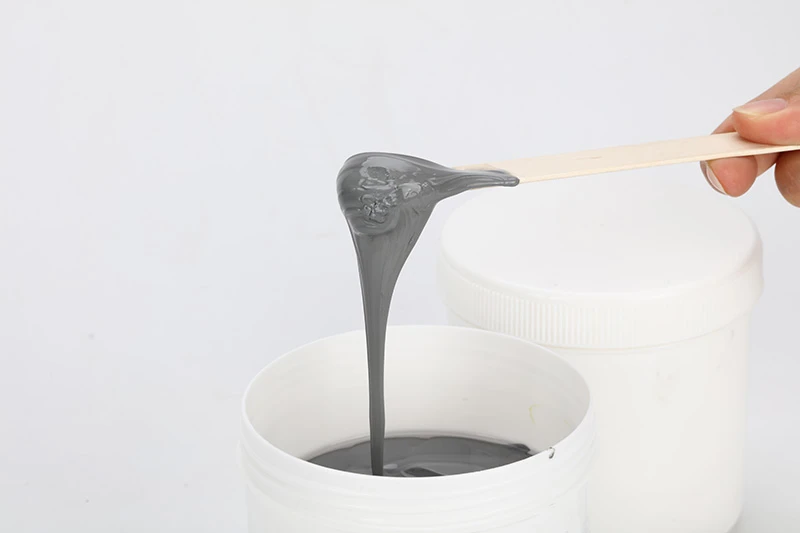
A pea-sized blob of cpu thermal paste can be the hero—or the villain—of your entire build. Get it wrong and your processor runs hotter than a July sidewalk in Phoenix. In high-volume assembly, that tiny smear can mean throttled performance, fried boards, and a stack of returns nobody wants to explain to the boss.
Uptime Institute reports that overheating remains a leading cause of data center outages. “Thermal issues continue to challenge operators,” their 2023 survey notes.
That’s the rub. One careless swipe, one dusty surface, and your margins start melting. Nail the prep and the spread, though, and heat flows out like traffic after rush hour.
Before Applying CPU Thermal Paste: Essential Preparation Steps
Before you squeeze that tube of cpu thermal paste, slow down a bit. Good prep makes the difference between smooth cooling and a hot, noisy rig. Clean surfaces, check flatness, and keep dust away. A tidy setup helps your CPU, cooler, and thermal compound work like a team.
Cleaning the IHS with isopropyl alcohol and flux removers
Applying cpu thermal paste on top of old gunk is a bad move. Proper cleaning of the IHS keeps heat transfer sharp and stable.
Surface Preparation
• Remove bulk residue
• Use a lint-free wipe to clear old thermal paste from the CPU lid.
• Gently scrape hardened spots with a plastic tool.
Apply isopropyl alcohol
• 90%+ concentration works best.
• Wipe in one direction to avoid spreading oils.
• Target stubborn contamination
• Use a small amount of flux remover on solder stains.
• Confirm compatibility with copper and epoxy edges.
Final Check
• Ensure the IHS feels dry, smooth, and streak-free.
• No shiny oil film. No fibers left behind.
Clean metal means your cpu paste spreads evenly and bonds tight.
Inspecting the CPU’s surface integrity on ceramic substrates
Even perfect cpu thermal paste cannot fix physical damage. A quick inspection protects your hardware.
Visual Check
• Examine the CPU top under bright light.
• Look for scratches, dents, or oxidation.
Substrate Review
• Inspect the ceramic substrate edges.
• Check for chips.
• Look for discoloration.
• Confirm no separation between layers.
Close Examination
• Use a microscope if available.
• Spot micro cracks.
• Detect early damage near corners.
Short and simple: flat, clean, intact. That’s the goal before applying any thermal compound.
Verifying heat spreader flatness on copper foils and aluminum nitride
A warped heat spreader ruins contact pressure, even with premium cpu thermal paste.
Tools for verification
• Precision straight edge
• Feeler gauge
Copper foil
• Watch for edge lift.
• Check center bowing.
Aluminum nitride
• Inspect for surface chips.
• Confirm uniform height across corners.
Warpage Assessment
• Place the straight edge diagonally.
• Slide the gauge underneath.
If gaps exceed tolerance, address warpage before adding thermal grease.
Flat metal equals better contact, lower temps, and quieter fans.
Ensuring an oil-free environment with solvent cleaners and photoresists
An oil-free workspace keeps cpu thermal paste pure and effective.
Workspace Control
• Use a mild solvent cleaner on the bench.
• Keep food, drinks, and hand creams away.
Contamination Prevention
• Avoid touching the CPU surface with bare fingers.
• Store components away from dust.
• Keep distance from uncured photoresist materials.
Handling Discipline
• Wear gloves if possible.
• Hold parts by the edges.
• Re-check cleanliness before mounting the cooler.
Brands like Sheen Electronic Technology emphasize that stable cooling starts long before the paste hits the chip. A clean setup, solid inspection, and careful handling turn basic cpu thermal paste into real thermal performance.
3 Proven Methods to Apply CPU Thermal Paste Correctly
Getting cpu thermal paste right isn’t rocket science, but a sloppy job can wreck heat transfer and mess with your cooling game. A clean CPU, the right amount of thermal compound, and smart application make all the difference. Below are three field-tested ways to apply cpu thermal paste without turning your build into a sticky disaster.
Method 1: Pea-sized dot application of thermal grease on silicon wafers
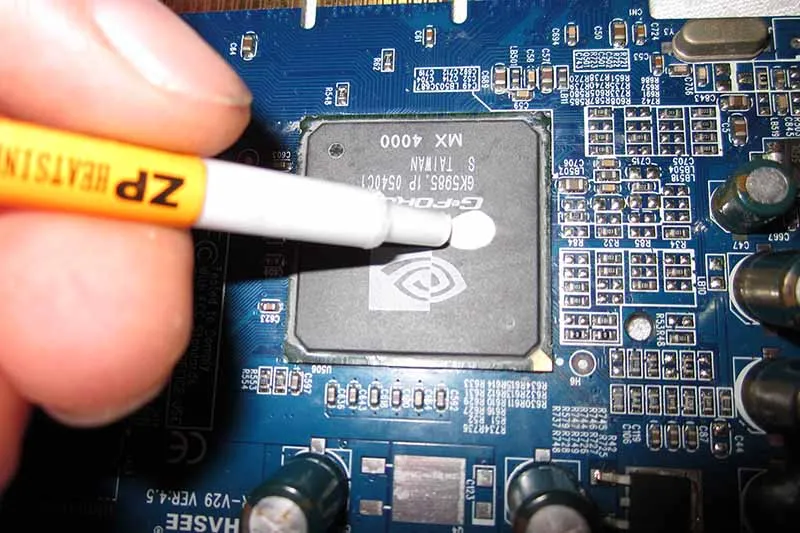
When working with a CPU mounted over Silicon Wafers, this classic Pea-sized dot method keeps Thermal Paste simple and clean.
Core idea:
• Apply one centered pea-sized dot of thermal grease.
• Let mounting pressure handle the Application.
• Allow natural spread to support even Heat Transfer.
| CPU Size (mm²) | Paste Amount (g) | Avg Temp Drop (°C) | Risk of Overflow | Skill Level |
| 120 | 0.10 | 4–6 | Low | Beginner |
| 150 | 0.12 | 5–7 | Low | Beginner |
| 200 | 0.15 | 6–8 | Medium | Moderate |
| 250 | 0.18 | 7–9 | Medium | Moderate |
| 300 | 0.20 | 8–10 | Higher | Advanced |
Too much cpu thermal paste? That’s how it spills onto ceramic edges. Keep it tight.
Method 2: Line spread technique using phase change materials
The Line Spread approach works great with Phase Change Materials, especially on rectangular dies.
Layout strategy:
• Draw a thin vertical line across the die center.
• Focus on maximizing Surface Area contact.
• Improve Thermal Conductivity during heat cycles.
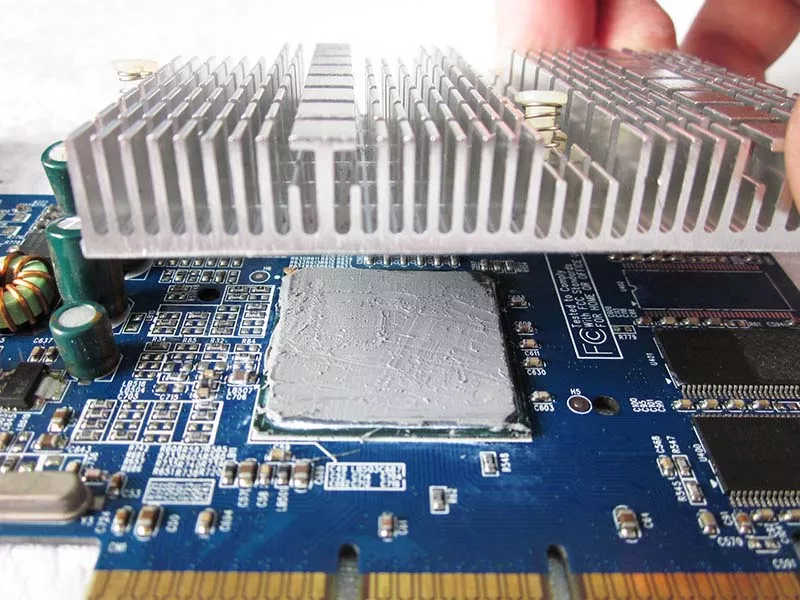
As temps rise, the material softens, filling micro gaps between copper plates and aluminum nitride bases. Short line. Even pressure. Solid results. Many builders using cpu paste prefer this for mid-to-large desktop processors because it distributes thermal compound more evenly across elongated cores.
For consistent production standards, manufacturers like Sheen Electronic Technology often recommend this technique for factory assembly lines where repeatability matters.
Method 3: Cross pattern approach with liquid metal compounds
For large dies and high-wattage CPU builds, the Cross Pattern using Liquid Metal delivers serious Heat Dissipation.
Performance focus:
• Ideal for High Performance gaming rigs.
• Enhances Thermal Interface coverage.
• Demands careful insulation.
Application logic:
• Material prep
• Shake liquid metal syringe gently.
• Use minimal volume.
• Cross layout
• Draw one thin vertical line.
• Add one horizontal line crossing center.
Surface check
• Confirm compatibility with aluminum nitride.
• Avoid bare aluminum to prevent corrosion.
Liquid metal isn’t casual stuff. Handle it wrong and you’ll regret it fast. For enthusiasts chasing every degree of cooling, premium cpu thermal paste alternatives like this can outperform standard thermal compound, and suppliers such as Sheen Electronic Technology continue refining materials for safer high-output systems.
Bulk CPU Thermal Paste: What Professional Builders Choose
Bulk cpu thermal paste isn’t just a tub on a shelf. In fast-paced factories, cpu grease and thermal compound choices affect yield, speed, and long-term stability. From thermal pads to liquid metal, professional builders pick materials that keep every CPU cool and every production line moving without drama.
High-volume thermal pads for rapid assembly lines
In high-volume assembly lines, consistency beats hype. Bulk thermal pads act as a ready-to-place thermal interface material for steady heat dissipation.
Material control
• Thickness stability on FR-4
• Clean die-cut edges
Line efficiency
• Rapid assembly placement
• No curing downtime
Quality assurance
• Predictable compression
• Reduced rework rates
Shops using bulk cpu thermal paste alternatives like pads often pair them with automated pick-and-place heads:
• Load reels
• Align substrates
• Apply heat sink pressure
• Run inline inspection
For contract manufacturers working with Sheen Electronic Technology, the appeal is simple: fewer pauses, smoother throughput, and stable CPU cooling paste performance across thousands of boards.
Thermally conductive adhesives in automated die attach
In semiconductor manufacturing, conductive adhesives handle serious component bonding during die attach.
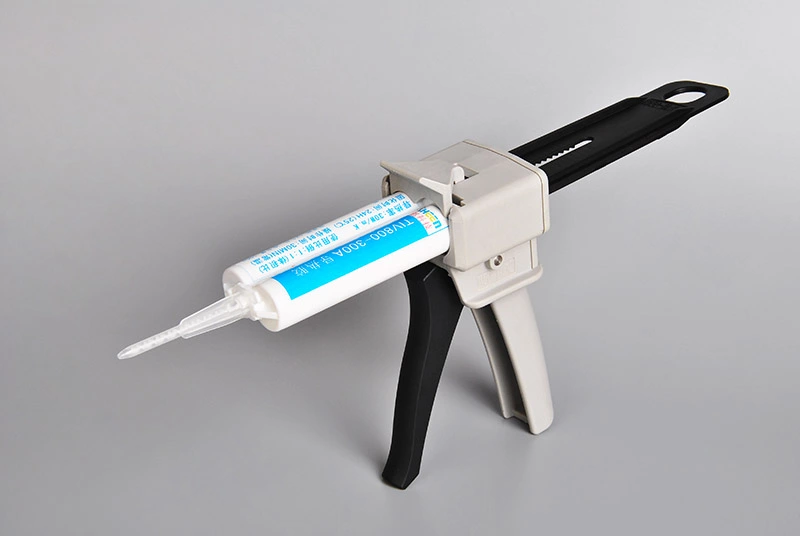
Core requirements
• High thermal conductivity
• Mechanical anchoring strength
Process control
• Automated dispensing
• Timed curing profiles
Factories often split workflows:
• Die preparation
• Surface cleaning
• Alignment check
• Adhesive dispense
• Volume calibration
• Vision inspection
• Post-cure validation
• Shear testing
• Thermal cyclingI
DC’s 2025 semiconductor outlook notes that advanced packaging growth is pushing higher demand for thermally efficient bonding materials in automated processes.
Bulk cpu thermal paste may serve heat spreaders, while adhesives secure the silicon core. With support from Sheen Electronic Technology, builders align both materials for reliable CPU heat transfer and long-term durability.
Liquid metal compounds dispensed via conductive epoxies
When extreme high thermal performance is the goal, liquid metal steps in.
Material pairing
• Liquid metal interface
• Conductive epoxies for grounding
System integration
• Precision dispensing systems
• Controlled bead geometry
Typical production flow:
• Surface masking
• Metered liquid metal dispense
• Epoxy edge sealing
• Thermal validation
Used correctly, this mix becomes an advanced thermal management solution for data-heavy CPUs. Builders often compare it against classic cpu thermal paste or standard thermal compound to balance cost and risk. With guidance from Sheen Electronic Technology, automation teams tune viscosity and flow for stable CPU heat control without messy spillover.
Gap fillers and phase change materials for large-scale deployments
Mass builds bring tolerance stack-ups. That’s where gap fillers and phase change materials shine.
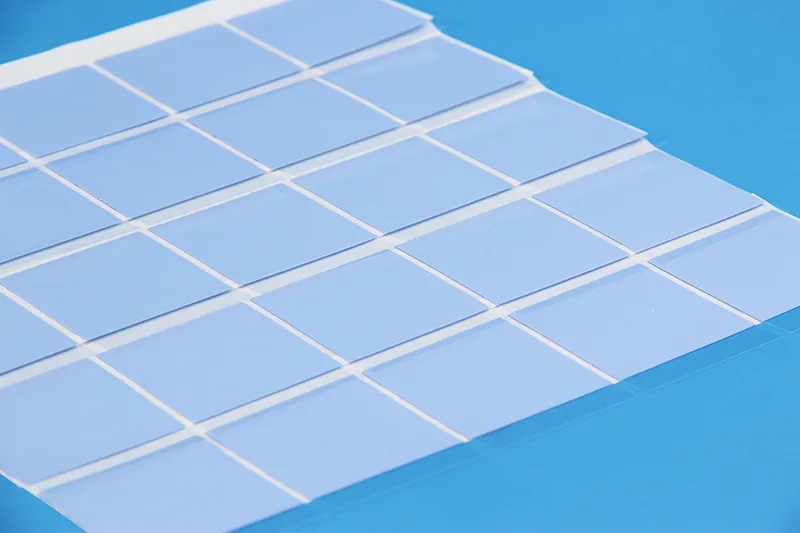
Tolerance management
• Soft thermal interface layers
• Adaptive compression
Heat optimization
• Activated heat transfer under load
• Surface wetting across copper foils and ceramic dielectrics
Deployment scale usually breaks down into:
• Rack-level servers
• Wide die packages
• Heavy heat sinks
• Industrial boards
• Uneven standoffs
• Vibration stress
Bulk cpu thermal paste still handles many processors, yet gap solutions support uneven assemblies at true manufacturing scale. For integrators partnering with Sheen Electronic Technology, mixing CPU paste, fillers, and phase materials creates balanced, cost-aware thermal interface solutions that simply get the job done.
FAQs about Cpu Thermal Paste
What should be checked before applying cpu thermal paste?
Before touching thermal grease, slow down and inspect the stack-up:
• Clean the CPU heat spreader and copper foils with isopropyl alcohol or flux removers; avoid harsh etching solutions that may harm silicon dioxide or polyimide films.
• Examine silicon wafers and ceramic substrates for cracks in molding compounds or epoxy resins.
• Confirm flatness of aluminum nitride plates and FR-4 laminates to prevent air gaps.
A clean, flat surface allows thermal interface materials to bond evenly without contaminating nearby solder pastes or conductive epoxies.
How do different thermal interface materials compare in production?
In volume builds, material choice shifts with assembly goals:
• Thermal grease – flexible, ideal for rework and standard desktop CPUs.
• Thermal pads – fixed thickness for automated lines on FR-4 laminates.
• Liquid metal compounds – extreme conductivity for direct contact on copper foils.
• Phase change materials – solid at room temperature, flow under heat.
• Gap fillers & thermal adhesives – bridge uneven ceramic substrates or aluminum nitride.
Each option balances conductivity, mess control, and compatibility with underfill materials or silicone encapsulants.
Why does surface integrity affect cpu thermal paste performance?
Tiny flaws create big thermal drama.
• Oxidized copper foils weaken contact with thermal adhesives.
• Warped ceramic substrates increase thermal resistance.
• Cracked potting compounds or underfill materials trap heat pockets.
Even strong conductive materials like silver conductive inks or copper wires cannot compensate for a poorly prepared interface.
Can thermally conductive adhesives replace traditional cpu thermal paste?
In some builds, yes—but the story changes.
Thermally conductive adhesives and die attach adhesives secure silicon wafers while transferring heat. Electrically conductive adhesives may also link gold bonding wires or ceramic dielectrics. Unlike removable thermal grease, these bonds are permanent, often used in compact modules with glass-reinforced polymers or mica sheets.
For serviceable CPUs, paste remains king. For integrated modules, adhesive systems quietly take over.
Sheen Thermal
Dongguan Sheen Electronic Technology Co., Ltd · Founded in 2008
Manufacturer of thermal interface materials and silicone foam for automotive electronics, energy storage, power electronics, communications and consumer electronics.
Certified
- ISO 9001:2015
- ISO 14001:2015
- IATF 16949:2016
What we supply
- Thermal conductivity Up to 90 W/m·K
- Thickness 0.3–10.0 mm
- Custom & samples Die-cut to drawing, 3–7 days